


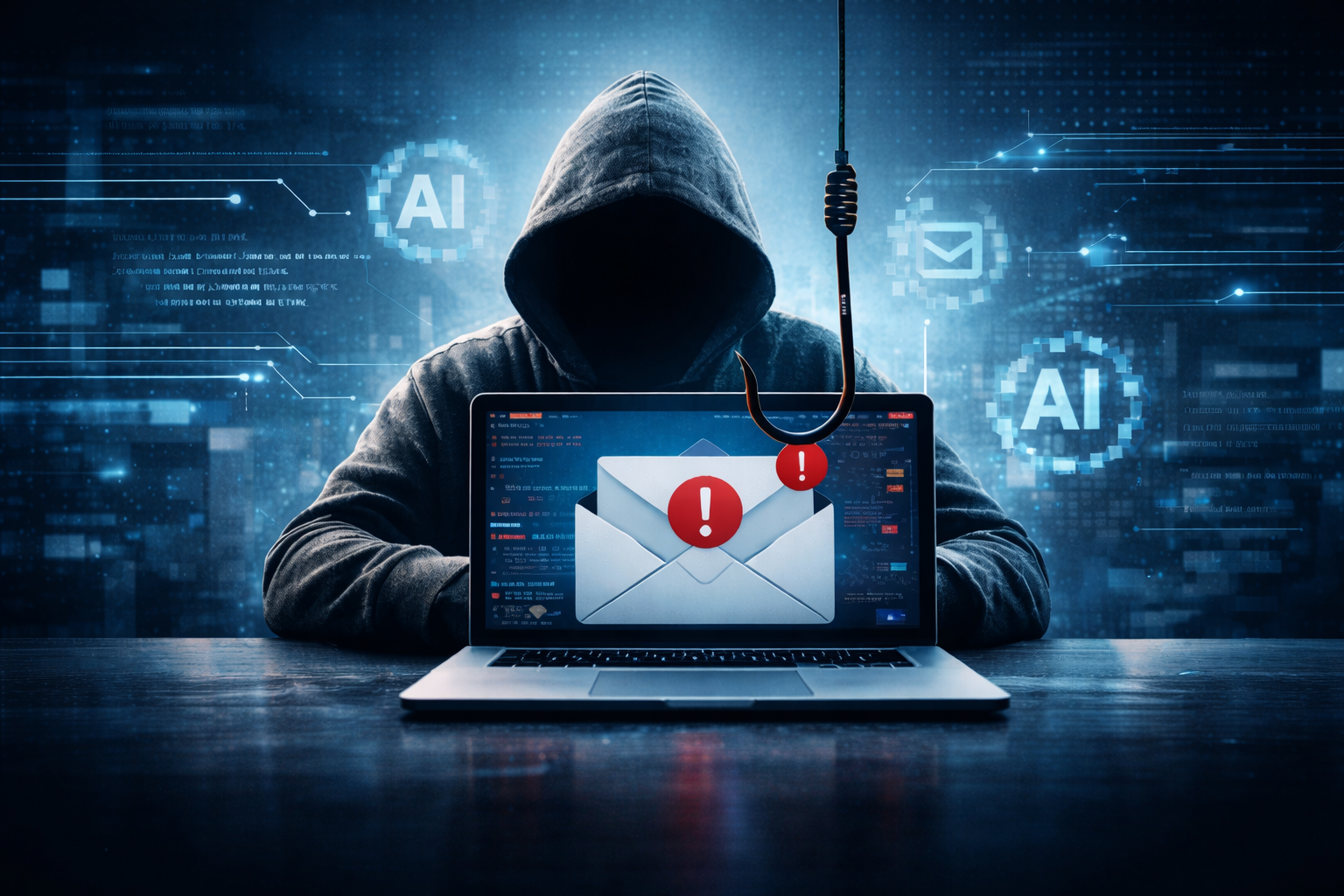
What is phishing? Phishing is a type of cyberattack in which a criminal sends a fraudulent message, usually an email, that pretends to come from someone you trust, in order to trick you into clicking a malicious link, opening an infected attachment, entering your login credentials, or sending money. It’s the most common way businesses get breached, because it doesn’t attack your systems. It attacks the person reading the email. Most ransomware incidents, most business email compromise losses, and most data breaches start with a single phishing message that worked.
In this guide
- How phishing works
- Why phishing matters for businesses
- The 9 types of phishing attacks
- Real phishing examples
- Phishing red flags
- How to protect your business from phishing
- What to do if someone clicked
- Anti-phishing tools compared
- Common mistakes
- How Sixwatch stops phishing
- FAQ
- Glossary
How phishing works
Every phishing attack follows the same four steps:
- The lure. A message arrives that looks legitimate: an invoice from a vendor, a password-reset notice from Microsoft, a shipping alert, a message from the CEO, a voicemail notification. The sender name, logo, and formatting are copied from the real thing.
- The pressure. The message creates a sense of urgency or fear. “Your account will be suspended.” “Payment overdue.” “I need this handled before my flight.” Urgency short-circuits the careful reading that would expose the fake.
- The action. You’re asked to click a link, open an attachment, enter credentials on a login page, approve an MFA prompt, or send a payment or gift cards.
- The payoff. The attacker now has your password, control of your email account, malware on your machine, or your money. From there: reading your mail to find payment conversations, sending more phishing from your account, or launching ransomware.
The attack works because the message looks right and arrives at a busy moment. Technical defenses stop most of them. Training stops most of the rest. Nothing stops all of them, which is why the response plan matters.
Why phishing matters for businesses
- Phishing is a leading initial entry point in ransomware attacks and the starting point of nearly every business email compromise case.
- The FBI’s Internet Crime Complaint Center reports business email compromise, which almost always starts with phishing, as one of the most financially damaging cybercrimes — $3.04 billion in reported losses in its 2025 annual report, second only to investment fraud.
- A single compromised email account gives an attacker your contacts, your invoices, your payment history, and a trusted sender address to attack everyone you do business with.
- AI has removed the last easy tell. Phishing emails used to have bad grammar. Now they’re fluent, personalized, and generated at scale.
For a small business, one successful phish can mean a wire transfer to the wrong bank, weeks of ransomware recovery, or a breach notification to every client.
The 9 types of phishing attacks
| Type | How it works | Typical target |
|---|---|---|
| Email phishing | Mass emails impersonating a brand or service | Anyone; volume-based |
| Spear phishing | Targeted at a specific person using details about them: their role, vendors, projects, colleagues | Finance staff, executives, HR |
| Whaling | Spear phishing aimed at executives, or impersonating them | CEOs, CFOs, and the people who take their instructions |
| Business email compromise (BEC) | Attacker takes over or impersonates a real account to redirect payments, change payroll deposits, or request wire transfers | Accounts payable, payroll, controllers |
| Vishing (voice phishing) | Phone calls impersonating IT support, a bank, or a vendor; increasingly using AI-cloned voices | Help desks, executives’ assistants, anyone |
| Smishing (SMS phishing) | Text messages with malicious links: package deliveries, bank alerts, “CEO” requests | Mobile users |
| Clone phishing | A real email you already received is copied with the link or attachment swapped for a malicious one | Anyone who gets attachments |
| Pharming / credential harvesting pages | A fake login page that captures usernames and passwords, often a perfect copy of the Microsoft 365 sign-in | Everyone with an email account |
| MFA fatigue / prompt bombing | After stealing a password, the attacker sends repeated MFA push notifications until the user approves one | Users on push-based MFA |
Two newer variations to know: QR code phishing (quishing), where the malicious link is a QR code that bypasses email link scanning, and consent phishing, where the user is asked to “grant access” to a malicious app in Microsoft 365, which needs no password at all.
Real phishing examples
The vendor with new bank details. A construction company receives an email from a subcontractor it pays monthly. The email address is real; the subcontractor’s account was compromised weeks earlier. It says the company changed banks and attaches an updated ACH form on real letterhead. The next $62,000 payment goes to the attacker’s account. Nobody notices until the subcontractor calls asking where the money is.
The Microsoft password reset. An office manager receives “Your password expires today” from what looks like Microsoft. The link goes to a login page identical to the real one. She enters her credentials. Within an hour the attacker has set up a rule in her mailbox that forwards every email mentioning “invoice” or “payment” to an outside address and deletes the forwarded copies. The rule runs for three months.
The CEO who needs gift cards. A new employee gets a text from “the CEO”: “Are you at your desk? I need a favor, in a meeting and can’t talk.” The employee replies. The CEO asks her to buy $2,000 in gift cards for client thank-yous and send photos of the codes. She does.
The MFA push at 6 a.m. An accountant’s phone buzzes with a Microsoft Authenticator approval request. Then another. Then another. Assuming it’s a glitch, he taps Approve to make it stop. The attacker who bought his password on the dark web is now in his mailbox.
Phishing red flags
Train employees to pause on any message with these characteristics:
- Urgency or threat: account suspension, legal action, missed payment, a deadline in hours
- A request involving money or credentials: wire transfers, bank detail changes, gift cards, password confirmation
- Sender mismatch: display name says “Microsoft,” the address is a random domain; or a lookalike domain (rnicrosoft.com, company-inc.com instead of company.com)
- Unexpected attachments, especially .zip, .html, .iso, or Office files asking to “enable content”
- Links that don’t match: hover shows a different destination than the text
- Generic greeting (“Dear Customer”) from someone who should know your name, or oddly specific personal details from someone who shouldn’t
- A change in normal process: a vendor who always invoices through a portal now emails a PDF; a CEO who never texts suddenly does
- Pressure to keep it quiet: “Don’t loop in accounting, I’ll explain later”
- Login pages reached from an email link. Legitimate services rarely need you to log in from an email.
The single most effective habit: verify money and credential requests through a different channel. Call the vendor on the number you already have. Walk to the CEO’s office. It takes two minutes and defeats nearly every phishing attack that gets through the filters.
How to protect your business from phishing
- Multi-factor authentication on every account, using phishing-resistant methods (authenticator app with number matching, or hardware keys) rather than SMS or plain push. See multi-factor authentication.
- Email security filtering that goes beyond spam: link rewriting and scanning, attachment sandboxing, impersonation detection, and BEC detection that flags unusual payment language.
- DMARC, SPF, and DKIM configured for your domain so attackers can’t send email that appears to come from you.
- Security awareness training with simulated phishing at least quarterly, so employees practice recognizing attacks before the real one arrives. See security awareness training.
- A payment verification policy: any change to vendor banking details or any wire over a threshold requires voice confirmation on a known number. Written, enforced, no exceptions for executives.
- Endpoint detection and response on every device, so a clicked attachment is caught before it becomes ransomware.
- Conditional access and mailbox monitoring: block logins from unexpected countries, alert on new forwarding rules and new MFA devices.
- Least privilege: the account that gets phished shouldn’t be an admin.
- An easy way to report. A “Report phishing” button in Outlook, and a culture where reporting is praised, not punished.
- An incident response plan for the click that gets through.
What to do if someone clicked
Speed matters more than blame.
- Report it immediately to IT or your managed security provider. Don’t wait to see if anything happens.
- If credentials were entered: reset the password now, revoke active sessions, check for new mailbox rules and MFA devices, and review sent items for anything the attacker sent.
- If an attachment was opened: disconnect the device from the network and let the security team check it. Don’t power it off; evidence lives in memory.
- If money was sent: call the bank immediately to attempt a recall, then file a report with the FBI at ic3.gov. Recovery is possible in the first 24 to 72 hours and rare after.
- Check who else got it. Phishing rarely targets one person.
- Notify affected parties if data was exposed, per your legal and contractual obligations.
- Do a post-incident review. What let it through, and what stops the next one.
Anti-phishing tools compared
| Tool | What it does | Typical cost | Stops |
|---|---|---|---|
| Built-in email filtering (Microsoft 365, Google) | Basic spam and malware blocking | Included | Bulk, obvious phishing |
| Advanced email security (Microsoft Defender for Office 365 P2, Proofpoint, Mimecast, Abnormal) | Link scanning, attachment sandboxing, impersonation and BEC detection | $3 – $8 / user / mo | Most targeted phishing and BEC |
| Phishing-resistant MFA | Blocks credential use even when the password is stolen | $0 – $6 / user / mo | Credential phishing, MFA fatigue |
| Security awareness training platforms (KnowBe4, Proofpoint, Hoxhunt) | Training plus simulated phishing and reporting | $2 – $6 / user / mo | The human click |
| DMARC monitoring | Enforces domain authentication, reports spoofing attempts | $0 – $200 / mo | Attackers impersonating your domain |
| EDR / MDR | Catches malware after a click | $8 – $25 / device / mo | Payload execution |
| Managed cybersecurity service | All of the above, configured and monitored | $50 – $150 / user / mo | The whole chain |
Common mistakes
- Relying on “our people know better.” Everyone clicks eventually. The question is what happens next.
- SMS or basic push MFA. Both are routinely defeated by phishing kits.
- Punishing the person who clicked. It guarantees the next click goes unreported.
- No payment verification policy, or one the CEO is exempt from. Attackers impersonate the CEO for that reason.
- Training once a year. Skills fade in weeks; attacks change monthly.
- Not monitoring mailbox rules. Forwarding rules are how attackers stay in after a password reset.

How Sixwatch stops phishing
Sixwatch’s managed cybersecurity includes the full anti-phishing chain for businesses across Tampa Bay and Cincinnati: advanced email security with BEC detection, phishing-resistant MFA, DMARC enforcement, quarterly simulated phishing with training, mailbox monitoring for forwarding rules and suspicious logins, and endpoint detection for the click that gets through.
When an employee reports a suspicious email or admits a click, our 30-minute emergency remote response puts an engineer on it before the attacker has time to act. Founder John Owens has spent 25+ years watching phishing evolve, and our 5.0 Google rating includes clients whose “I think I clicked something” call ended with nothing lost.
Book a 15-minute call or request a proposal.
Frequently asked questions
What is phishing in simple terms? A fake message, usually an email, designed to trick you into giving up a password, opening malware, or sending money to a criminal.
What is the difference between phishing and spear phishing? Phishing is sent in bulk to many people. Spear phishing is targeted at one person or company using details about them, which makes it far more convincing.
What is the most common type of phishing? Credential phishing: a fake login page, usually mimicking Microsoft 365 or Google, that captures usernames and passwords.
What happens if I click a phishing link? Depending on the attack, you may land on a fake login page, trigger a malware download, or nothing visible may happen while a script runs. Report it immediately; the damage is usually preventable if action is taken within minutes.
How do I know if an email is phishing? Check the actual sender address, hover over links before clicking, and be suspicious of urgency, money requests, and unexpected attachments. When in doubt, verify through a phone call to a known number.
Can MFA stop phishing? Phishing-resistant MFA (authenticator apps with number matching, or hardware security keys) stops most credential phishing. SMS codes and simple push approvals can be bypassed.
What is business email compromise? An attack where a criminal uses a real or impersonated business email account to redirect payments or request fraudulent transfers. It’s the most costly form of phishing.
How do businesses prevent phishing? Layered defenses: email security filtering, phishing-resistant MFA, DMARC, regular training with simulations, a payment verification policy, endpoint detection, and a response plan.
Glossary
- BEC: Business email compromise; payment fraud via a compromised or impersonated account.
- Credential harvesting: Collecting usernames and passwords through fake login pages.
- DMARC / SPF / DKIM: Email authentication standards that prevent domain spoofing.
- Lookalike domain: A domain registered to resemble a real one (micros0ft.com).
- MFA fatigue: Repeated MFA prompts sent until the user approves one.
- Payload: The malware delivered by a phishing attachment or link.
- Quishing: Phishing via QR codes.
- Smishing / vishing: Phishing via SMS / voice calls.
- Spear phishing: Targeted phishing using personal or company details.
- Whaling: Phishing aimed at or impersonating executives.
Want to know how many of your employees would click? Book a 15-minute call · Request a proposal